
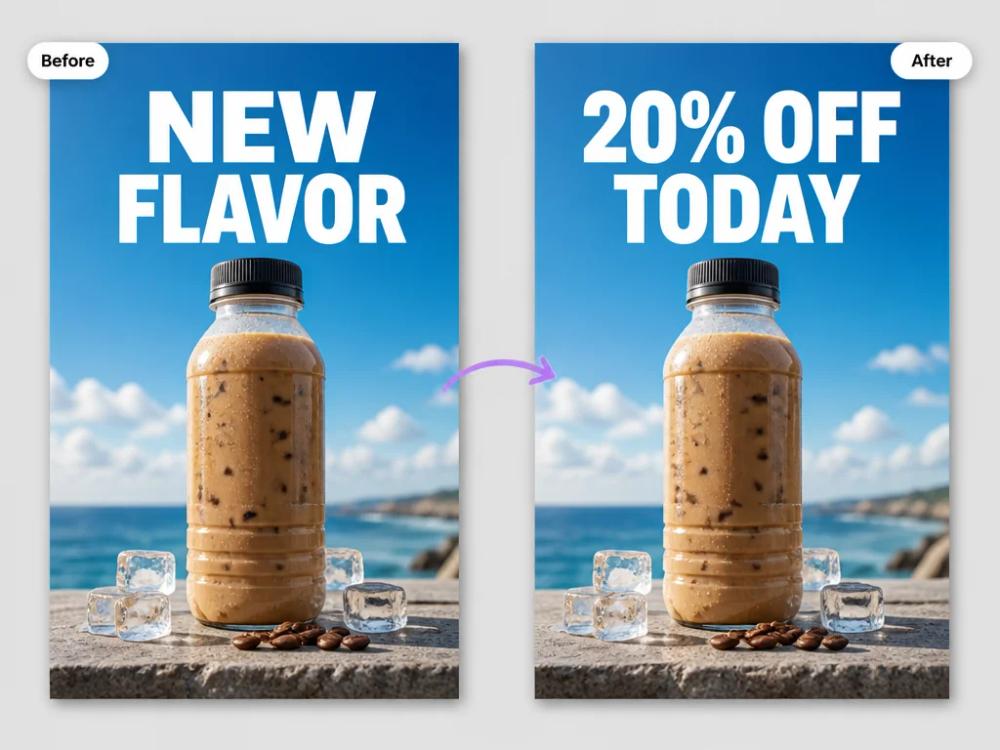
PicText is an image text editor designed for changing words that are already embedded in a picture. Instead of recreating a poster or screenshot from scratch, users can upload an image, select or describe the text to change, and download a revised version. This makes it useful for localized graphics, corrected screenshots, simple marketing edits, and quick creative iterations.

PicText
Image text editor for replacing and editing words inside photos, screenshots, posters, and other image files.
Introduction
Information
- Websitepictext.ai
- Published date2026/09/30
Categories

DDSM批量二维码生成器
专业的DDSM批量二维码生成工具,在线快速生成多个高质量二维码,支持自定义样式、格式导出与打包下载。
How to Use PicText
- Upload a photo, screenshot, poster, or other image containing text.
- Select the text area or identify the words you want to replace.
- Enter the new wording and review the generated edit for alignment and style.
- Download the edited image and use it in your campaign, document, or social post.
PicText's Core Features
Text replacement in images
Change words inside an existing image without rebuilding the whole design.
Style-aware editing
Keeps the surrounding visual context in mind while replacing the selected text.
Screenshot and poster support
Works with common image-based content such as screenshots, signs, and promotional graphics.
Quick export
Download the edited result for reuse in documents, campaigns, or social content.
PicText's Use Cases
Localization
Replace text in a graphic for another language or market.
Marketing iteration
Update prices, calls to action, dates, or product copy in existing creatives.
Screenshot cleanup
Correct labels or wording in a screenshot without rebuilding the original interface.
FAQ from PicText
PicText Support & Company Information
- Company
- PicText
- Contact
- Open Contact