
LogoShipdirs
  • Discover
  • Search
  • Categories
  • Pricing
  • Blog
  • Submit
LogoShipdirs

Newsletter

Join the Community

Subscribe to our newsletter for the latest news and updates

  1. Home
  2. Category
  3. Audio Converter AI
audio-converter-ai-transcription icon

Audio Converter AI

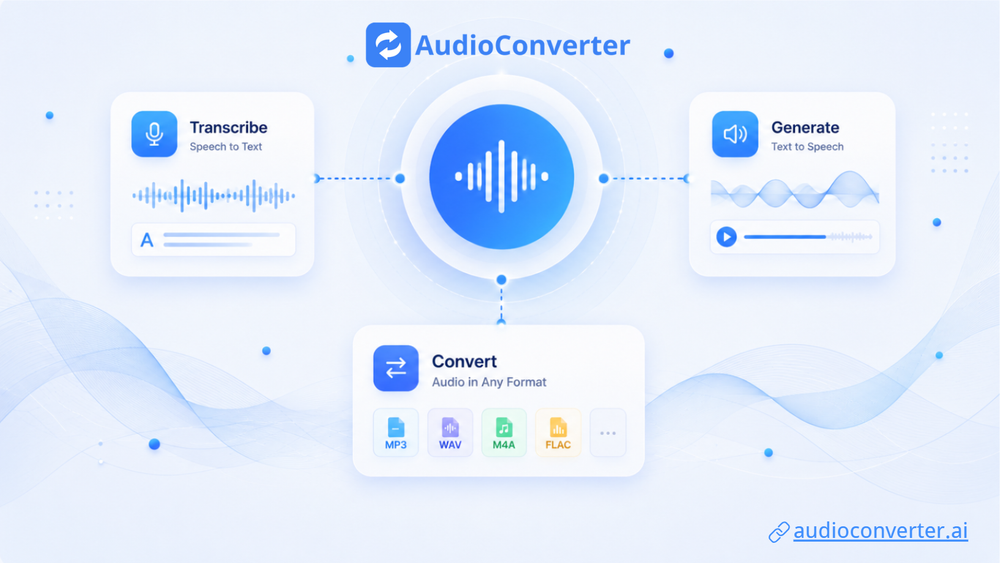
An audio workspace for transcribing audio, video, YouTube links, and recordings with timestamps, speaker labels, summaries, and multilingual support.

Visit Website
audio-converter-ai-transcription image
Visit Website

Introduction

Back

Information

  • Publisher
    pushtimepushtime
  • Websiteaudioconverter.ai
  • Published date2026/09/15

Categories

  • Audio & Music
  • Productivity & Collaboration
  • AI & Automation

Tags

  • AI Powered
  • Transcription
  • Speech to Text
  • Speaker Diarization
  • Summarization
  • Subtitles
  • Multilingual
icon of DDSM批量二维码生成器

DDSM批量二维码生成器

AD

专业的DDSM批量二维码生成工具,在线快速生成多个高质量二维码,支持自定义样式、格式导出与打包下载。

How to Use Audio Converter AI

Audio Converter AI's Core Features

Audio and video transcription

Turn recordings, uploaded media, and supported links into editable text.

Speaker recognition

Separate and label different speakers in meetings, interviews, lectures, and podcasts.

Timestamps and summaries

Navigate the source by time and generate shorter AI-assisted notes from the transcript.

Multilingual support

Detect or select from more than 200 listed transcription languages.

Connected audio tools

Use related voice-generation and file-conversion workflows within the same service.

Audio Converter AI's Use Cases

1

Meetings and interviews

Create searchable notes with speaker labels and timestamps for later review.

2

Lectures and study

Turn recorded lessons into corrected notes, summaries, and accessible study material.

3

Podcasts and video

Produce draft show notes, subtitles, articles, and repurposed content from recordings.

4

Multilingual media

Generate a source transcript that can support translation, localization, and review.

FAQ from Audio Converter AI

Audio Converter AI Support & Company Information

Company
Audio Converter AI
Contact
Open Contact

Social Links

  • X
  • YouTube
  • Discord

More Products

icon of Intertakt

Intertakt

Productivity & Collaboration

The gym round clock, made personal: voice and beep cues call every HIIT, Tabata and EMOM round over your playlist, screen off, and an interrupted session resumes to the exact second. No ads, no account.

Mobile App
Trystique logo

Trystique

AI & Automation

Interactive AI stories with character-consistent images and scenes that change as you play.

AI PoweredCharacter ConsistencyStoryboardingCreator Tools
Facecam logo

Facecam

Video & MediaAI & Automation

Browser-based AI face, voice, and avatar tools for live calls and streams, plus photo, video, GIF, and voice transformation.

AI Face SwapAI AvatarVideo to VideoVoice ChangerAI Powered

Audio Converter AI

Audio Converter AI combines transcription, text-to-speech, and media conversion in a browser workspace. Its transcription flow accepts uploaded audio and video, recordings, and supported online links, then produces editable text with timestamps, speaker labels, and AI summaries.

Core capabilities
  • Transcribe common audio and video formats into searchable, editable text
  • Import media files up to the published size limit and queue multiple tasks
  • Detect speakers and attach timestamps to a transcript
  • Support automatic language detection and more than 200 listed transcription languages
  • Turn transcripts into notes, subtitles, summaries, articles, and reusable content
  • Generate voiceovers and convert popular audio and video formats in related tools

Automated transcripts can mishear names, numbers, accents, and specialist terminology. Review the recording and correct important passages before publishing, captioning, quoting, or making decisions from the transcript.


  1. Upload a supported audio or video file, paste a supported link, or record directly.
  2. Choose automatic language detection or specify the source language.
  3. Enable speaker separation and advanced options when the recording has multiple participants.
  4. Generate the transcript, then review timestamps, speaker labels, names, figures, and technical terms against the source.
  5. Export the corrected transcript or reuse it for subtitles, summaries, notes, and content drafts.
LogoShipdirs

A curated directory of tools that help you build, create, and grow.

Explore
  • Discover
  • Search
  • Categories
Resources
  • Blog
  • Pricing
  • Submit
More
  • Sitemap
  • Contact
Company
  • About Us
  • Privacy Policy
  • Terms of Service

Featured on

Listed on Turbo0Featured on Wired BusinessFeatured on Twelve ToolsFeatured on Dofollow.ToolsFazier badgeaitoolexListed on Backlink DirsLaunching Soon on UneedListed on AIDirsFeatured on FWFWFeatured on NewTool.siteAidirsFeatured on BestskyToolsListed on JustSimple ToolsFeatured on AIJustBetter.comFeature On aifinderplus.comFeatured on AITrustListFeatured on aihuntlist.comFeatured on ToolListed
Copyright © 2026 All Rights Reserved.