
LogoShipdirs
  • Discover
  • Search
  • Categories
  • Pricing
  • Blog
  • Submit
LogoShipdirs

Newsletter

Join the Community

Subscribe to our newsletter for the latest news and updates

  1. Home
  2. Category
  3. ArchOne AI
ArchOne AI logo

ArchOne AI

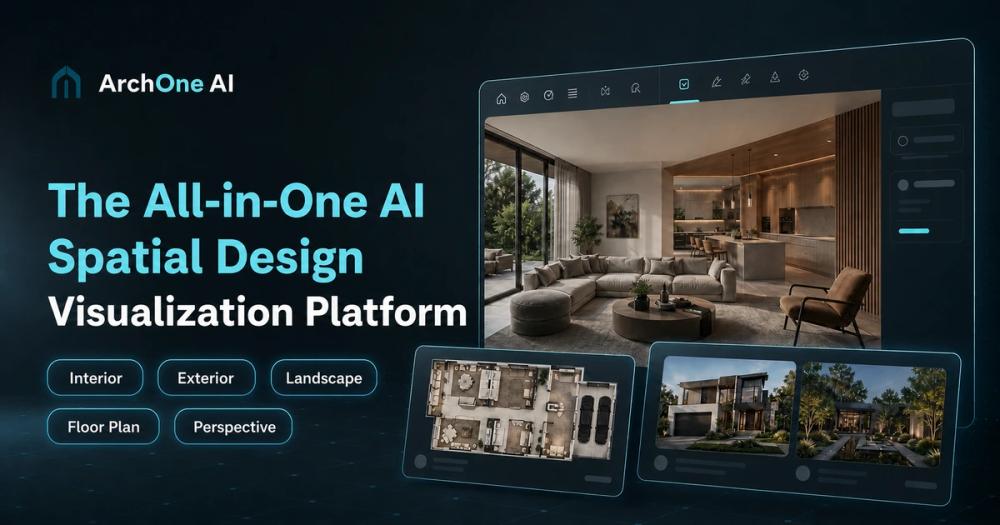
An AI spatial design workspace for exploring and comparing interior, exterior, architecture, landscape, and floor-plan concepts.

Visit Website
ArchOne AI product preview
Visit Website

Introduction

Back

Information

  • Publisher
    pushtimepushtime
  • Websitearchoneai.com
  • Published date2026/09/09

Categories

  • Design & Creative
  • 3D Design
  • Business & Commerce

Tags

  • AI Powered
  • Interior Design
  • Architecture
  • Landscape Design
  • Floor Plans
  • Infinite Canvas
  • Visualization
  • Real Estate
icon of DDSM批量二维码生成器

DDSM批量二维码生成器

AD

专业的DDSM批量二维码生成工具,在线快速生成多个高质量二维码,支持自定义样式、格式导出与打包下载。

How to Use ArchOne AI

ArchOne AI's Core Features

Multi-domain spatial design

Supports architecture, interiors, exteriors, landscapes, and floor-plan concepts.

ArchOne AI Studio

Provides an infinite canvas for connected generation, editing, and comparison.

AI design agent

Interprets complex design requests and organizes multi-step explorations.

Flexible visual inputs

Starts from photos, sketches, renders, screenshots, references, or text briefs.

Focused design tools

Offers guided workflows for rooms, kitchens, facades, yards, and related tasks.

Material and lighting studies

Explores changes in finishes, atmosphere, lighting, and visual mood.

Version comparison

Keeps source material and revisions together for side-by-side review.

Targeted refinement

Continues from selected versions and applies focused changes without losing context.

ArchOne AI's Use Cases

1

Interior concept development

Visualize room, kitchen, furniture, lighting, and material directions.

2

Facade studies

Explore exterior styles, cladding, colors, and architectural treatments.

3

Landscape planning

Generate early visual concepts for gardens, yards, and outdoor sites.

4

Client presentations

Compare several connected design options during early discussions.

5

Sketch-to-visual workflows

Turn rough sketches and briefs into more realistic design imagery.

FAQ from ArchOne AI

ArchOne AI Support & Company Information

Support Email
support@archoneai.com
Contact
Open Contact

Social Links

  • Twitter
  • Facebook
  • TikTok
  • Instagram
  • YouTube

More Products

Image to 3D AI icon

Image to 3D AI

3D Design

Generate 3D models from images for free, with batch input, mesh refinement, rigging, animation, and GLB or STL export.

3D ModelingText to 3DBatch GenerationGame DevelopmentAI Powered
DogeSMS logo

DogeSMS

Developer ToolsBusiness & Commerce

Disposable phone numbers for OTP verification, long-term rentals, and SMS automation across 180+ countries and thousands of services.

APISMS VerificationVirtual Phone NumberAutomation
RemoveText.video logo

RemoveText.video

Video & MediaDesign & Creative

AI video cleanup tool for removing text, hardcoded subtitles, captions, logos, and authorized watermarks while preserving the original framing.

Video EditorWatermark RemovalImage EditingAI Powered

ArchOne AI is a spatial design visualization platform for early-stage architecture, interior, exterior, and landscape workflows. Users can begin with site photos, room images, building exteriors, sketches, renders, references, or a written brief.

Focused generators sit alongside ArchOne AI Studio, an infinite-canvas workspace for connected design exploration. Its agent organizes requests, proposes visual directions, supports precise edits, and keeps source images, references, results, and revisions together for side-by-side comparison.

  1. Upload a room, exterior, site image, sketch, render, screenshot, or reference, or begin with a written brief.
  2. Choose a focused design tool or open the connected Studio workspace.
  3. Describe the space type, style, materials, lighting, mood, desired changes, and elements that must remain.
  4. Review the agent's interpretation or plan, then generate several design directions.
  5. Compare results on the canvas, refine selected versions, make localized edits, and download final concepts.
LogoShipdirs

A curated directory of tools that help you build, create, and grow.

Explore
  • Discover
  • Search
  • Categories
Resources
  • Blog
  • Pricing
  • Submit
More
  • Sitemap
  • Contact
Company
  • About Us
  • Privacy Policy
  • Terms of Service

Featured on

Listed on Turbo0Featured on Wired BusinessFeatured on Twelve ToolsFeatured on Dofollow.ToolsFazier badgeaitoolexListed on Backlink DirsLaunching Soon on UneedListed on AIDirsFeatured on FWFWFeatured on NewTool.siteAidirsFeatured on BestskyToolsListed on JustSimple ToolsFeatured on AIJustBetter.comFeature On aifinderplus.comFeatured on AITrustListFeatured on aihuntlist.comFeatured on ToolListed
Copyright © 2026 All Rights Reserved.